
Upload a formula screenshot
After signing in, choose image recognition and upload or paste a screenshot.
Learn the main Formula Bridge workflows, from image recognition and webpage import to editing and export.
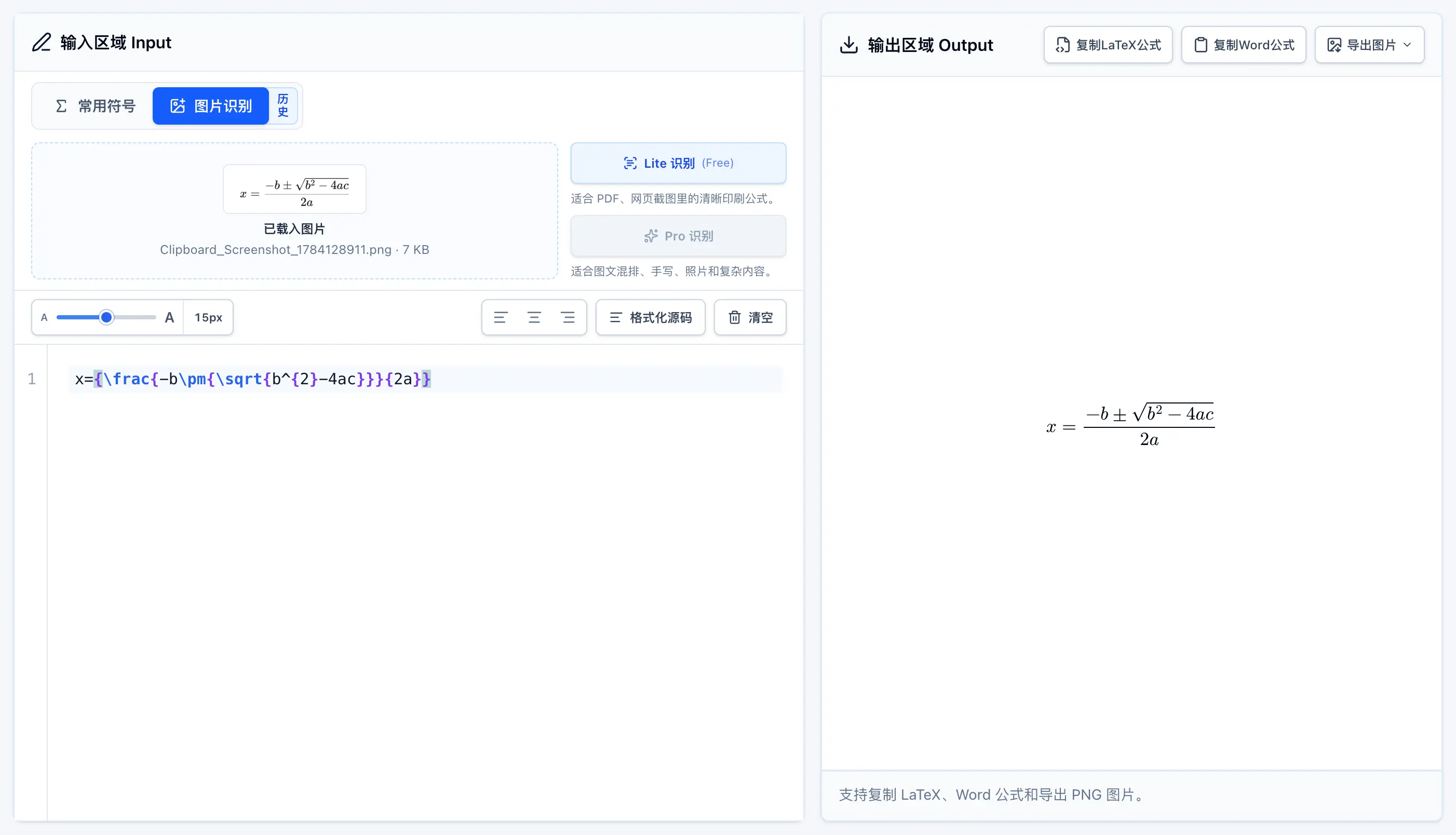
Upload or paste a formula screenshot, review the result, then copy or export it wherever needed.
After signing in, choose image recognition and upload or paste a screenshot.
The result appears in the editor, while the preview updates as you make changes.
Copy as LaTeX or Word math, or export a transparent PNG.

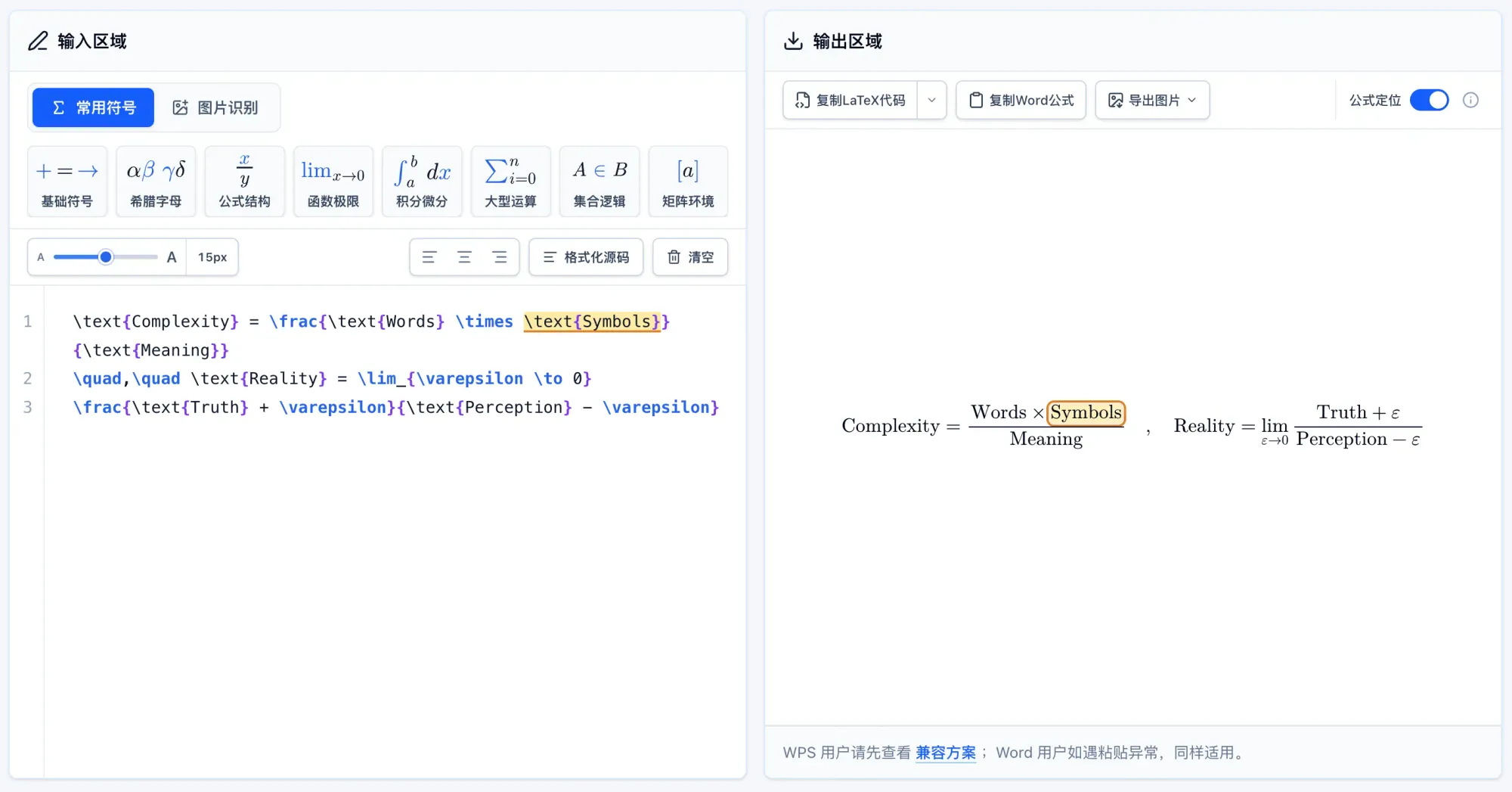
Quickly match parts of the rendered formula to their LaTeX source.
Turn on the Formula locator switch in the top-right of the output panel.
Move the pointer over the rendered formula to highlight its matching LaTeX source.
Click the formula to pin the highlight while editing. Click it again or press Esc to unpin it.
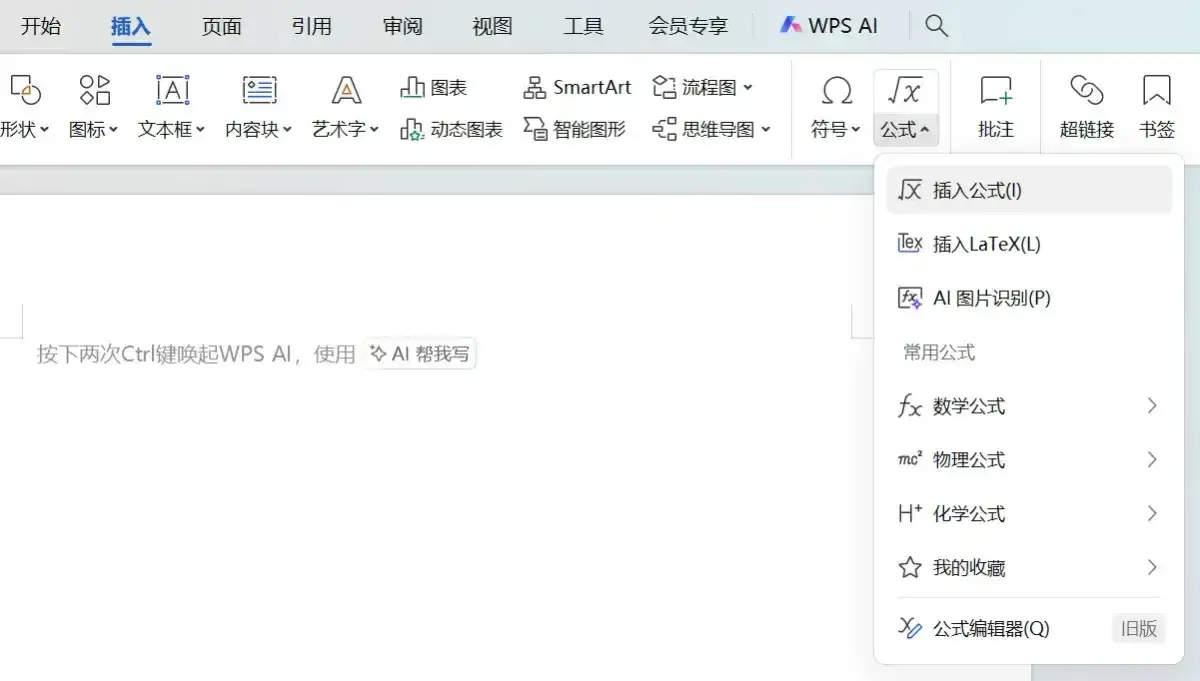
WPS may have compatibility issues when pasting content copied with Copy for Word. Follow the guide below and use Copy LaTeX Formula instead. Word users can also refer to it if pasting does not work correctly.

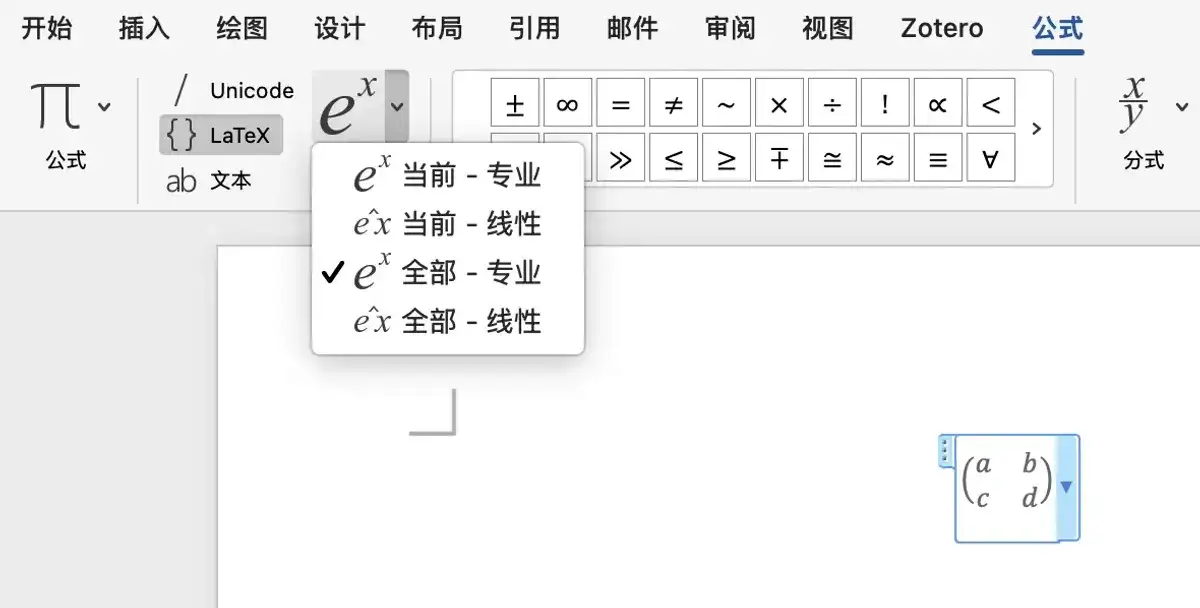
Word 2007 and later can usually paste the Word format (MathML) directly.
With the browser extension, you can import formulas from webpages in one click or select an area of the page for screenshot recognition.
Learn about and install the extension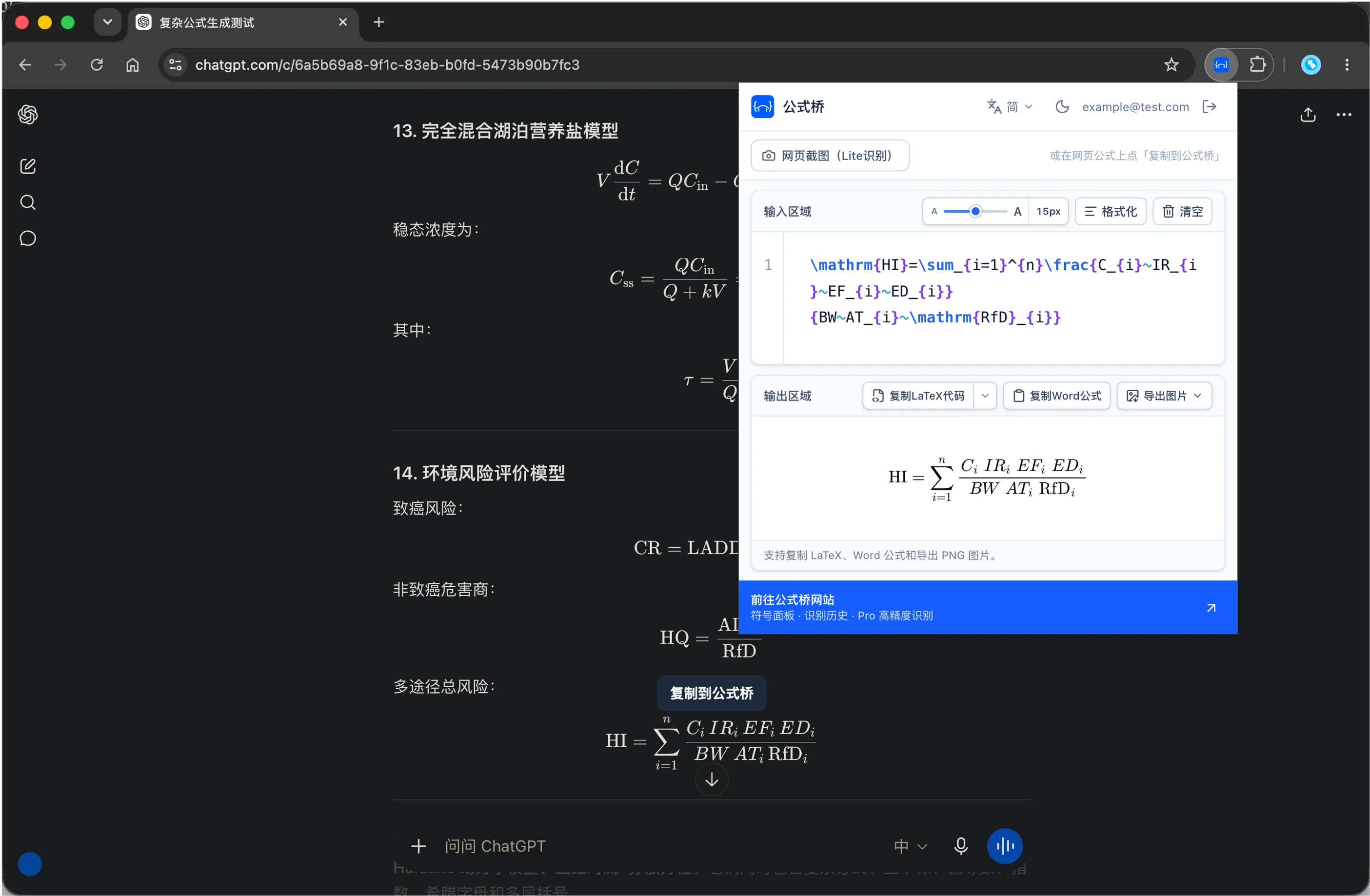
A little image preparation usually improves the result.